Hulp & Support What to do in case of issues with my decoder?
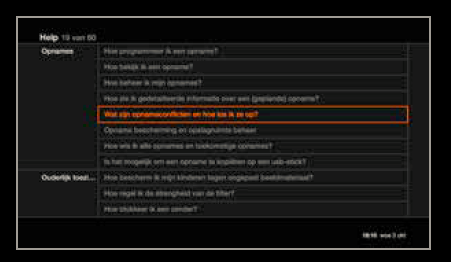
‘Help’ menu of the decoder
Please consult the ‘Help’ menu of your decoder: press ‘Home’ on the remote control and select the ‘Help’ menu.
This ‘Help’ menu contains sections with frequently asked questions/answers/problems grouped per topic: ‘Watching TV’, ‘TV guide’, ‘General’, ‘Reminders’, ‘Recordings’, ‘Favourites list’, ‘Miscellaneous’ and ‘Reference’.
This section will answer most of your questions.
Diagnostics test
To run the self-diagnosis test go the menu ‘Settings’ > ‘Technical’ > ‘Decoder info & Diagnosis’ and select ‘Diagnostics test’. Press ‘OK’ to run the diagnostics test.
You are experiencing problems with picture quality or receiving certain channels:
- If you are connected via HDMI, check on your TV whether you are using the HDMI video output (HDMI1, HDMI2) your decoder is connected to.
- If you’re using a SCART cable for the connection, check if the cable is installed correctly and verify on your screen whether you’ve selected the SCART/video input (AV, AUX1, AUX2) your decoder is connected to. Make sure your antenna cable is installed correctly and is securely fastened to the contacts of your decoder and the wall socket. If necessary repeat the process in which the system searches for available channels.
You’ve lost audio:
Check if the sound of your TV or your decoder is deactivated. If you’re using an external loudspeaker, check if the selected source matches your decoder.
You no longer have access to the channels or options to which you are subscribed:
Ask the Customer Service if your subscription is registered and still activated. The access rights to your options should be available just moments after your subscription is activated.
Remark: following a long period of non-use of the TV decoder (decoder deactivated) it will take a few minutes to regain the TV rights.
Your decoder no longer reacts to the remote control:
- check if the batteries of the remote control are empty if the decoder light no longer responds
- restart your decoder if the decoder light responds but nothing happens on the screen
The decoder displays an error code:
Please restart your decoder using the switch at the back of the decoder, above the power cable connection.