Mesh WiFi: from weak spot to strong signal
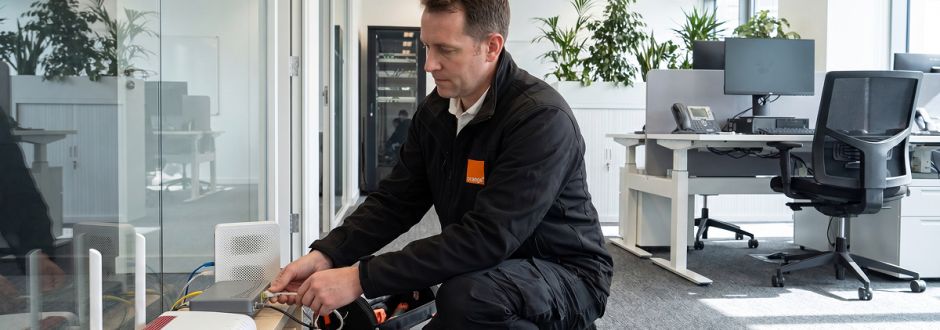
Nothing is more frustrating in the workplace than slow or unreliable internet. Whether it’s employees, customers or visitors, everyone expects fast, reliable WiFi wherever they are. Mesh WiFi from Orange Business means dead zones are a thing of the past. Davy De Clerq installs Orange WiFi networks every day, so who better to explain how Mesh WiFi works?
Hi Davy. What are the main causes of poor WiFi coverage?
“It all starts with where the modem is placed. It’s often in a garage or a basement, which means coverage is already cut in half by the first floor. Or it’s tucked away in a technical room. Server cabinets, gas and water meters, solar panel inverters — each one of these disrupts the WiFi signal.
“Poor WiFi coverage is also more common in modern buildings. Concrete floors and thick walls block the signal far more than timber structures. A lift is another WiFi killer. And these are of course all factors you can’t simply change.”
In those cases, can Mesh WiFi make the difference?
“Absolutely. Mesh WiFi is a straightforward way to extend the modem’s range. We place WiFi boosters throughout the building, which together form one seamless network. Devices then connect automatically to the strongest signal. Hardware, connectivity, installation: everything is included. We even install a 4G backup: a small modem with an Orange SIM card. If there’s an outage or a problem with the main cable — if it’s cut during roadworks, for example — 4G takes over and you stay connected.”
Which businesses benefit most from Mesh WiFi?
“Hospitality, offices, retail... In fact, any business that wants reliable WiFi everywhere but doesn’t have in-house technical expertise. For organisations with their own firewall, router or extended network — or for large buildings — Mesh WiFi is less suitable. Different solutions are needed there. The real strength of Mesh WiFi is its simplicity: you don’t need an IT specialist."
The real strength of Mesh WiFi is its simplicity: you don't need an IT specialist.”
Davy De Clerq, installer
So it’s also very affordable?
“Absolutely. You rent the boosters for €2.48 per month per unit, so the investment is limited. Automatic updates and security patches are included as standard, as is remote support: if there’s an issue, Orange Business can log in remotely to adjust the modem settings. The system is also easily scalable. If your business grows or your needs change, we simply add an extra booster to the network — that’s an extra €2.48 per month.”
What does a typical installation look like?
“There’s no such thing, really. Every building, every situation is different. And WiFi is unpredictable. Sometimes you think the modem will cover everything from one place, and it turns out to be the opposite! It all starts with what the client needs: where do they need WiFi, where is coverage insufficient? Based on that, we determine the ideal placement of the boosters. We can place a maximum of four. The best performance comes from connecting them to the modem via ethernet, but it can also be done via WiFi. We measure the WiFi signal in every room both before and after the installation, and we don’t leave until everything works perfectly.”
So more boosters doesn’t automatically mean better coverage?
“No, that’s a common misconception. Clients often think: just put one in every room. But that’s counterproductive. Too much overlap means devices constantly switching between access points. Too much WiFi can be just as problematic as too little.”
Too much WiFi can be just as problematic as too little.”
Davy De Clerq, installer
Does the client have much ongoing management to deal with afterwards?
“No. Mesh WiFi automatically takes over the modem’s settings. For example, if you were running separate networks — one for staff and one for guests — that stays exactly as it was. You can monitor your network status online and personalise the network name and password, but you shouldn’t adjust settings yourself or move the boosters around. We’ve already taken care of the optimal configuration.”