Hulp & Support How do I change the channel order?
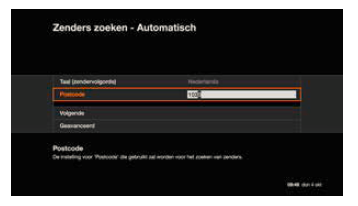
During installation access the ‘Settings’ > ‘Channels’ menu to set the channel order in accordance with your wishes (Dutch or French-speaking channels first). Also enter your postcode.
Select ‘Next’ to activate the automatic channel search. This way you will immediately find all the channels you can receive at your address.
In the ‘Favourites’ > ‘Edit favourites’ menu you can compile and manage your favourites list.
You can choose the channels and set the channel order. The list of active channels is displayed by pressing the OPT button on the remote control. Select ‘All channels’, ‘TV channels’, ‘Radio stations’ and then ‘Your Favourites’.