Hulp & Support How do I keep my usage under control?
Looking to keep your usage under control in real time? This can be done in one of several ways:
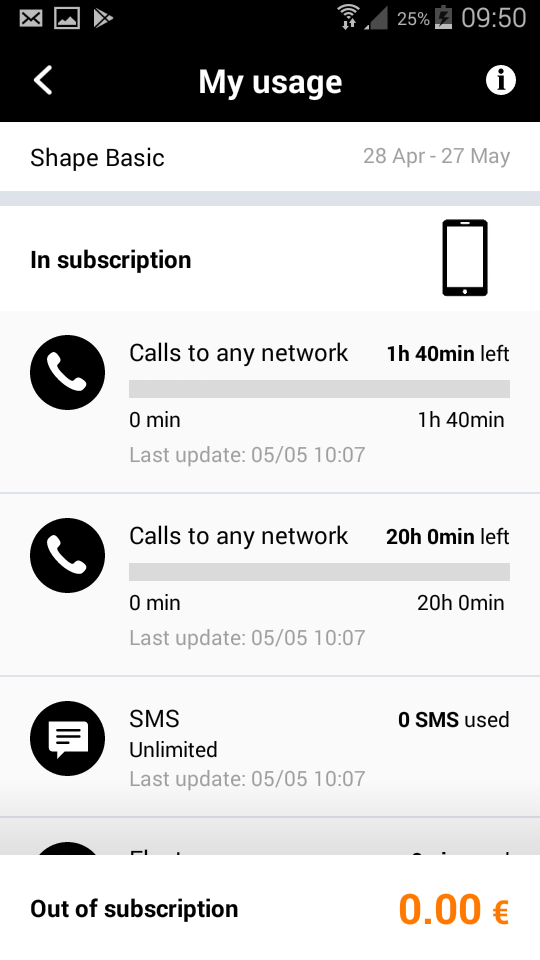
- Via the My Orange app.
- Via your Customer Zone (residential customers are advised to go to the residential Customer Zone).
Your employees can track their usage in real time via:
- The My Orange app, which gives them an overview of their calls to all networks, their text and data usage and any additional costs.
Download My Orange:



- Budget Check: enter #5580# on your mobile then press the call button. A menu is displayed. Choose option 1 to check your current usage. Attention: this service does not take account of the fact that your employer may pay a portion of your invoice. You must subtract the portion paid by your company from the amount on your screen.
Good to know:
You will receive a free text message as soon as 80% of your included bundle is used up and when your bundle is used up completely. You will also receive a free text message when you browse for more than 10 MB’s worth while abroad!
The processing of certain types of usage, e.g. calls while abroad, may be a bit slow. The services to monitor your usage are for information purposes only and do not replace your invoice.